
Generate from what you've already collected
Everyone saves the same references. Visual Garden turns yours into images only you could have made — mixed, remixed, and reframed from your own board.
7 days free, cancel any time. See plans
Our manifesto
Inspiration is everywhere. That was never the problem.
The problem is we all find it in the same place now. Same feeds. Same references. Boards that should look like their owners have started to look like each other.
But nobody connects the dots the way you do. Nobody puts those two images side by side. That link is yours — it isn't in any feed, and you can't type it into a prompt.
So don't reuse what's out there. Remix it. From what you saved, in your order, from your point of view.
Visual Garden turns your taste into a visual DNA.
Creating images no one has seen before.
Welcome to Visual Garden
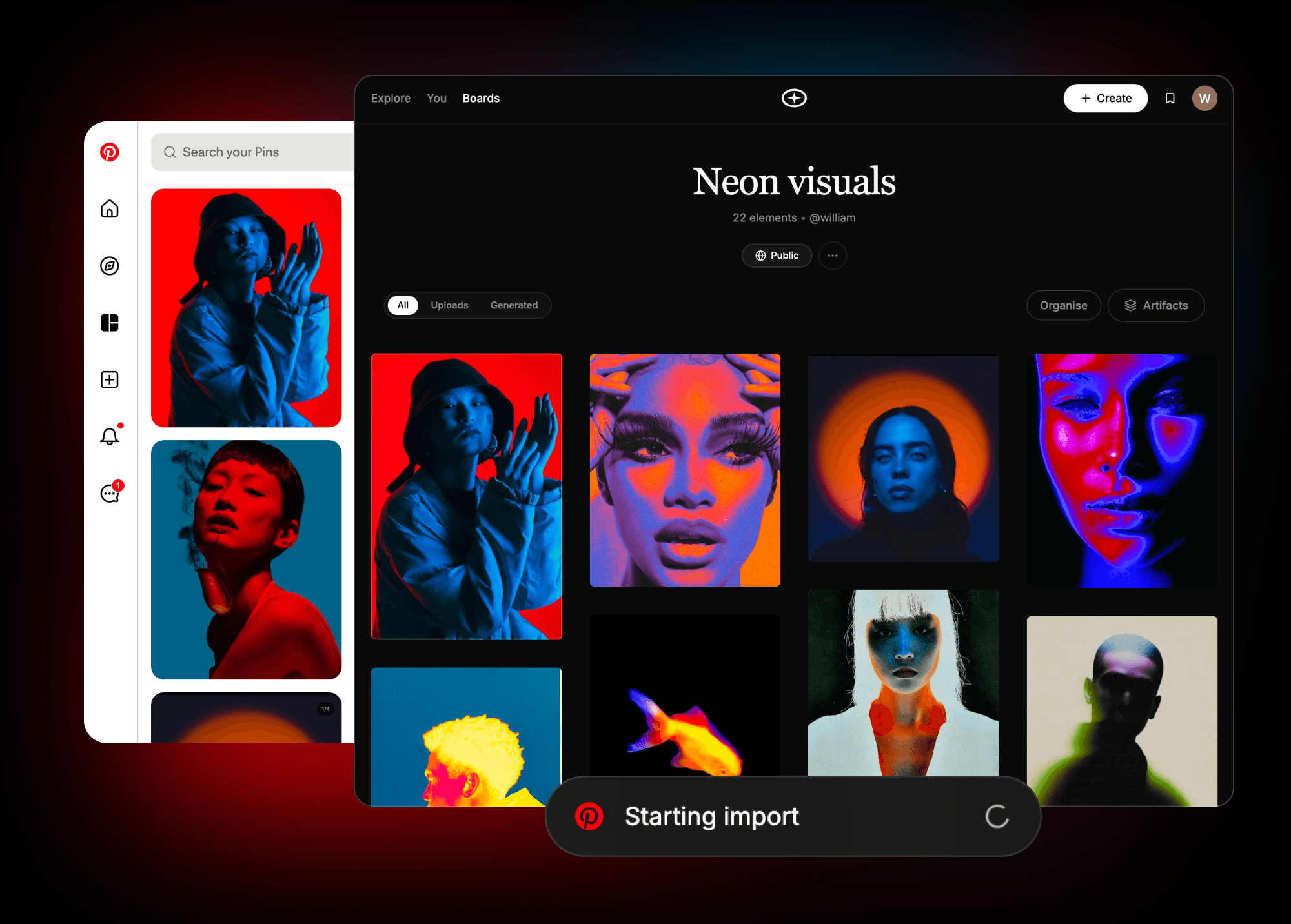
Try it outImport an entire Pinterest board
Move an entire board across in one go. Years of saving, migrated in a minute — no re-pinning, no downloads.
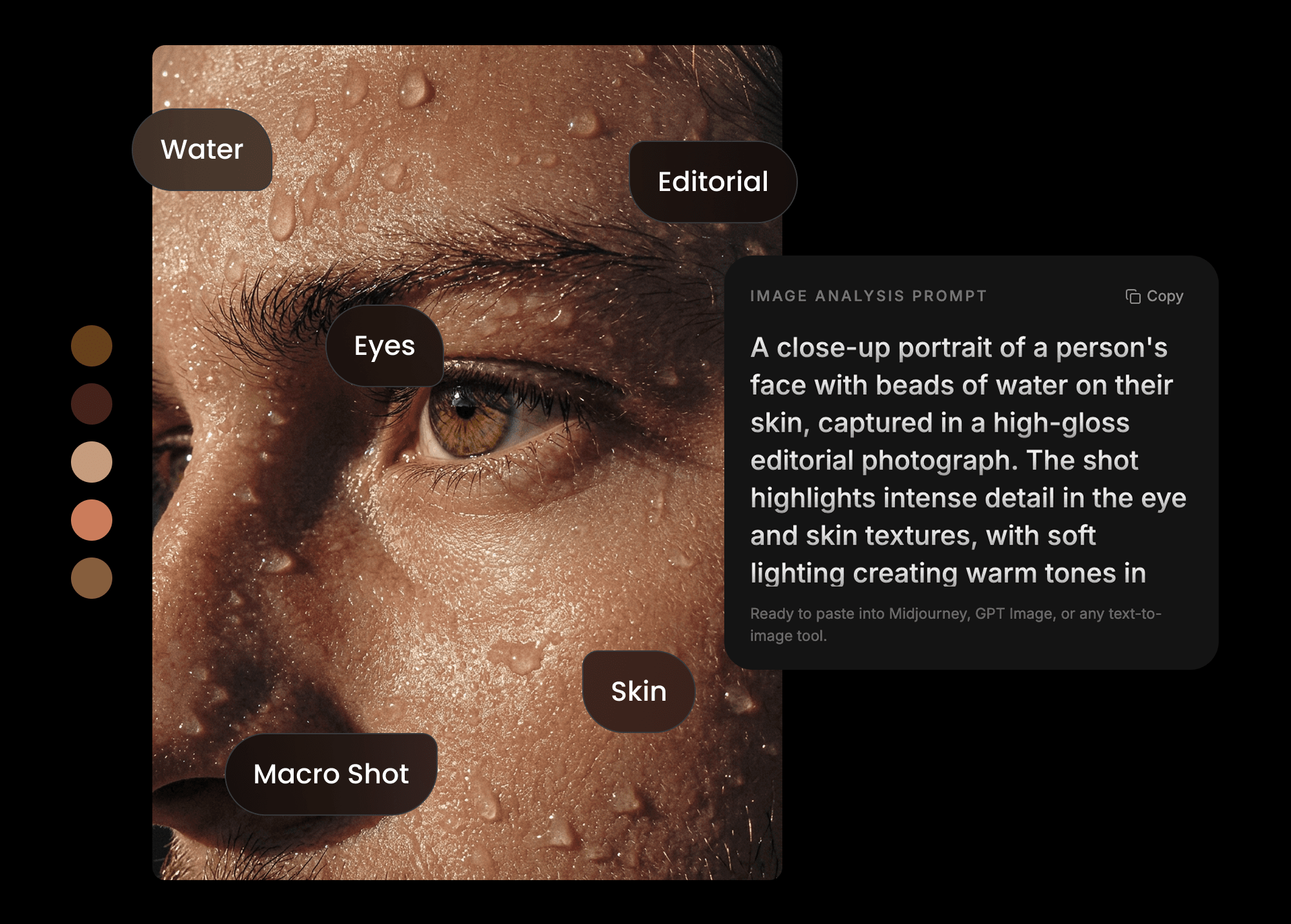
Turn any image into a written prompt
Get a written prompt for any image on your board, ready to paste into Midjourney, ChatGPT, or Nano Banana. Reverse-engineer a look you like into language you can reuse.
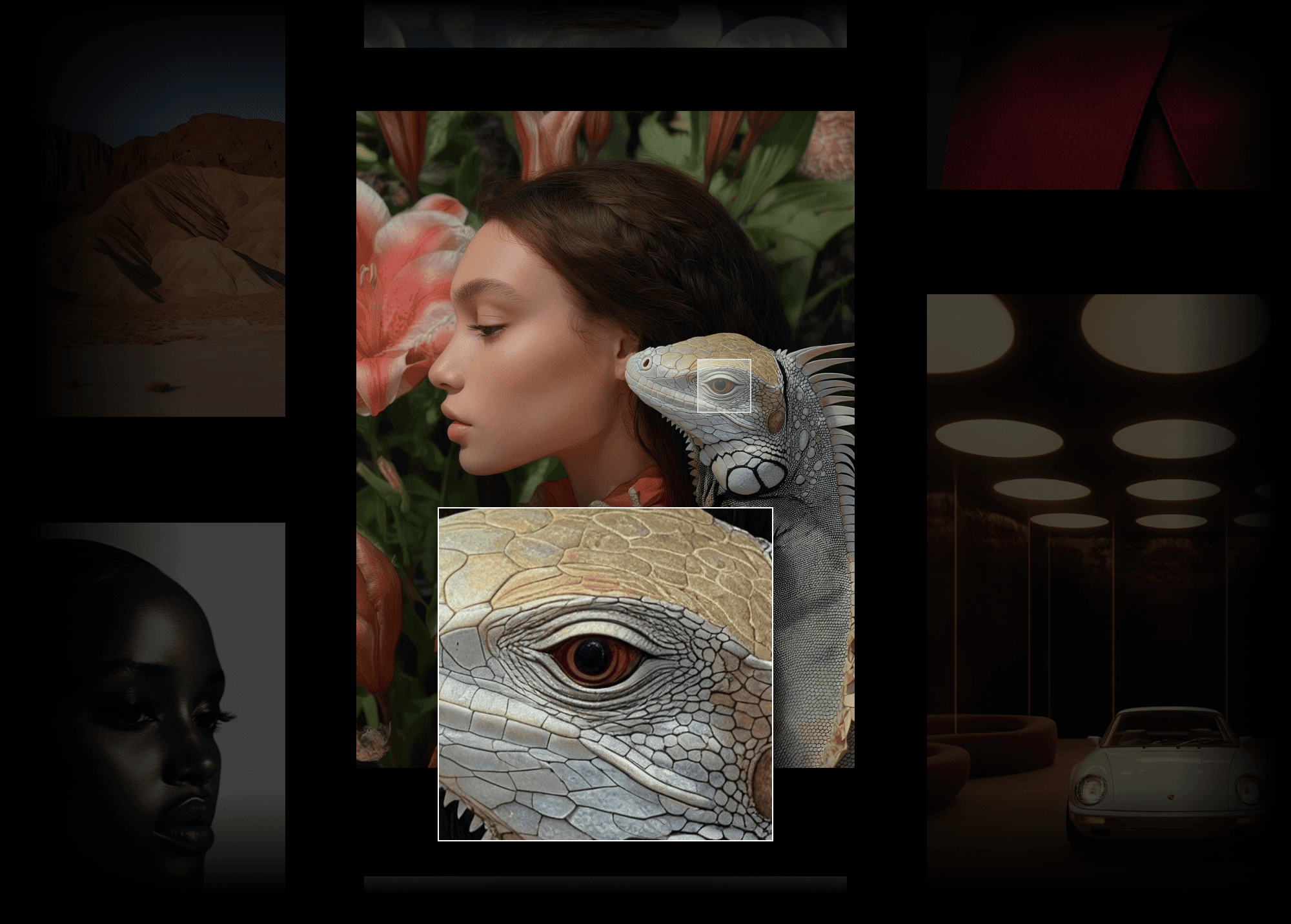
Upscale any image to 2× resolution
Take anything you've made to double resolution — ready for the deck, the pitch, or print. The grade, the grain, and the mood stay exactly as you made them.
Set the grid to the way you think
Set columns and spacing until the board reads the way you think. Dense and fast, or wide and considered.
Mix
Combine two references into one image
Two references nobody would have put together
Select any images on your board and mix them. Visual Garden reads the composition of one and the texture, palette, or mood of the other, and builds a new image from both. Not a filter or an overlay — a genuinely new frame that carries the DNA of each. The references everyone has, combined the way only you would combine them.
Try a mix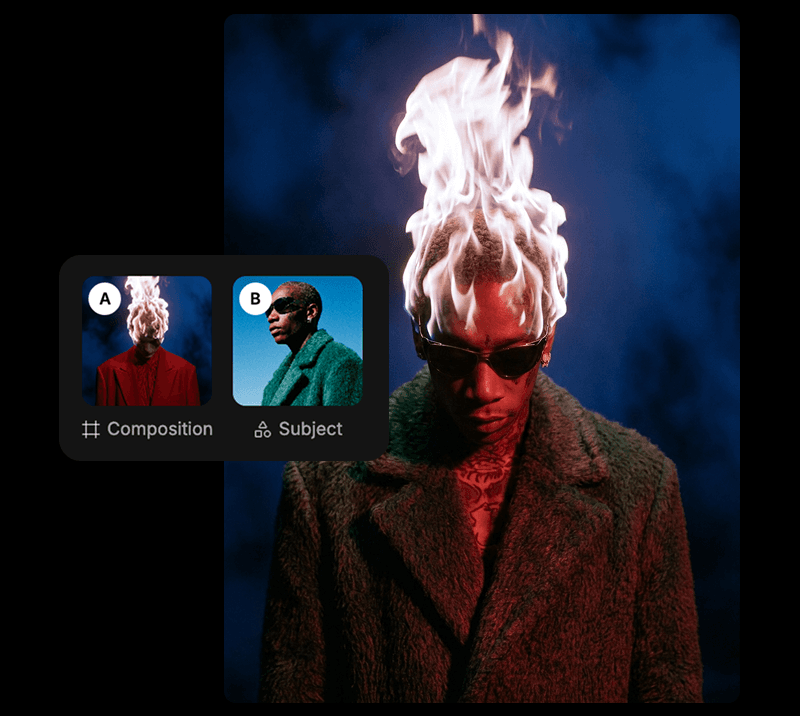
Questions about how to generate from your own references
- How is Visual Garden different from an AI moodboard generator?
- Most moodboard tools go text-to-board: you describe an idea and they assemble visuals for you. Visual Garden works the other way round. You bring the references you've already collected, and it generates new images from them — so the output inherits your taste rather than a prompt's guess at it.
- Can I use my existing Pinterest boards?
- Yes. Import a full board in one step and start mixing, remixing, and reframing from it immediately.
- Can I get a prompt from an image?
- Yes. Any image on your board can be turned into a written prompt, formatted for Midjourney, ChatGPT, or Nano Banana.
- Do I need to know how to write prompts?
- No. Mix, Remix, Shuffle, and Reframe all run from the images themselves. Curating your board is the input.
- Is Visual Garden an alternative to Savee or Pinterest?
- It covers the same saving and collecting, then adds generation on top. Where those tools end at the board, Visual Garden treats the board as a starting point.
- Who is it for?
- Designers, art directors, and marketers who already keep reference boards and need original visuals that match a specific direction.
Everyone sees the same things
No one connects them like you do. Start with what you've already collected.
Start your garden